The best B2B data enrichment tools sort into seven categories — pick by the gap in your data, not the brand on the shortlist
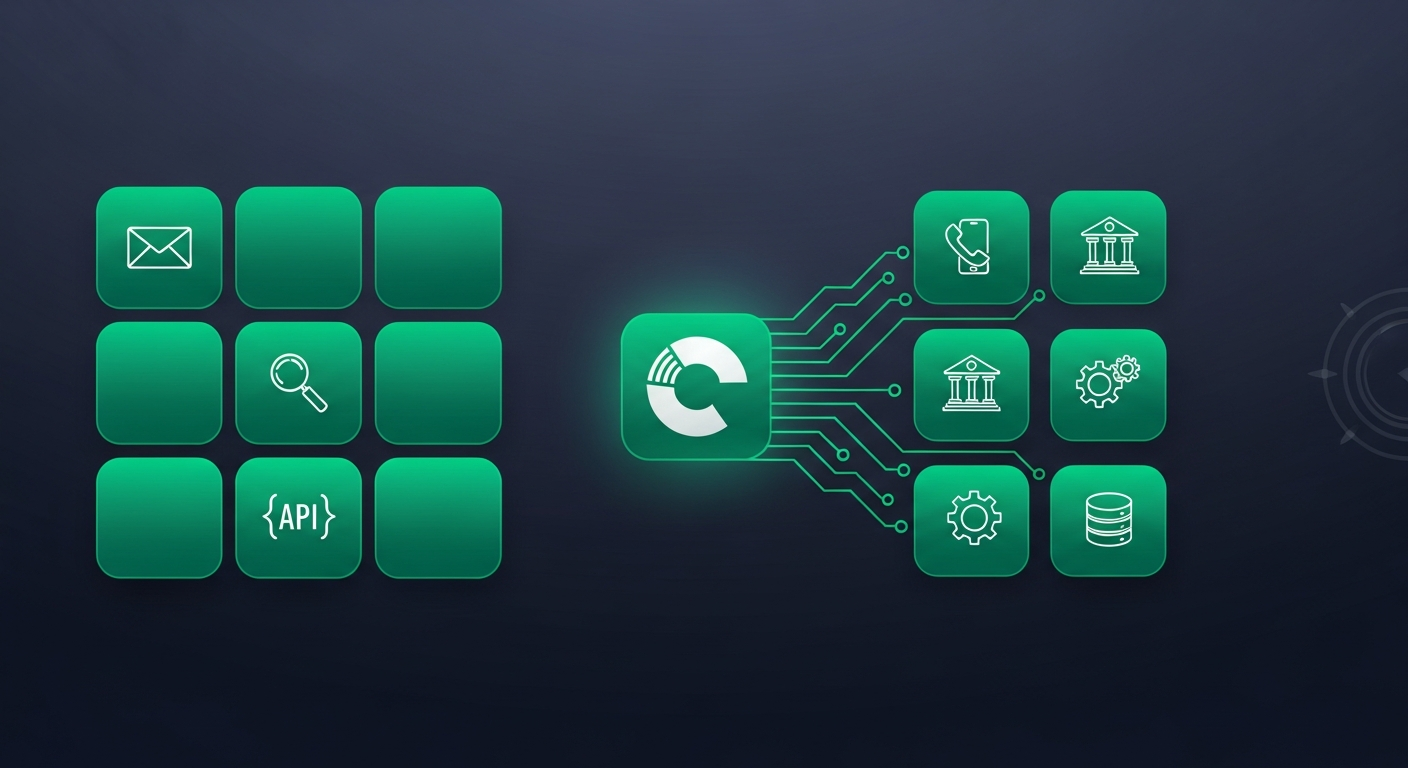
"B2B data enrichment tools" is not one product category — it is seven. A contact-finder, a firmographic database, a technographic crawler, a signal feed, a waterfall router, a CRM-native app, and a raw enrichment API each solve a different missing-field problem, and ranking them against each other is how buyers end up paying platform prices for a job a point tool would have done. This roundup sorts the field by category, names the kind of tool that lives in each, gives you an evaluation checklist that works across all of them, and shows where a verified-at-search-time approach fits. If you want the concept first — what enrichment is and why freshness beats field count — start with our B2B data enrichment guide; for the deep firmographic-vs-technographic depth question, see which data enrichment platforms go deepest.
B2B Data Enrichment Tools: The Short Answer
- There is no single "best" tool. There are seven categories, and the right stack is the smallest set that closes your specific data gaps.
- Contact and firmographic tools are table stakes; technographic, signal, and waterfall tools are where fit and timing come from.
- CRM-native apps and enrichment APIs are about where enrichment happens (inside the CRM, or at the moment of capture), not a different kind of data.
- Evaluate every tool the same way: coverage in your segment, match rate, per-field freshness, verification method, CRM-write hygiene, and cost per workable record — never database size.
The Seven Categories of B2B Data Enrichment Tools
Map any product on the market to one of these seven jobs first. A tool that claims to do all seven is really one strong capability wrapped in six thinner satellites — useful to know before you buy the bundle.
1. Contact enrichment tools (email + phone)
The job: turn a name and company into a deliverable email and a direct dial, plus current title and seniority.
What lives here: email-finder and direct-dial tools, browser extensions that pull contacts off LinkedIn, and the contact layer of the big databases.
Contact data is the highest-revenue-impact enrichment there is — and the
fastest to rot. It decays 20–30% a year as people change roles, so the
only question that matters is when was this specific record last
verified, and how? A tool that returns email: jane@acme.com with no
verification timestamp or method is selling you a guess. Insist on an
SMTP-level or catch-all-separated verification signal, not a
probabilistic "likely valid" flag.
2. Firmographic enrichment tools
The job: attach company facts — revenue, headcount, industry codes, HQ and site locations, and corporate hierarchy — to an account.
What lives here: company-graph databases and the firmographic layer of all-in-one suites.
Firmographics are cheap, broad, and slow-moving, which makes them the backbone of ICP qualification and lead routing. Their weakness is that they tell you almost nothing about timing: a perfectly enriched company profile is qualification context, not a reason to reach out this week. Depth also drops off outside a vendor's home market, so test coverage in the region you actually sell into.
3. Technographic enrichment tools
The job: reveal the software an account already runs — CRM, marketing automation, analytics, cloud, security tooling.
What lives here: web-crawling and job-post-parsing specialists, plus the technographic feeds licensed into suites.
A competitor's product in a prospect's stack — or a complementary one — is often the cleanest "why us, why now" you'll find. But detection is noisy: refresh cadence varies, and long-tail tools produce false positives. Score precision in the categories you sell into, not the headline "30,000 technologies detected" number. Our deeper read on technographic data for B2B targeting covers the detection methods and their blind spots.
4. Signal / intent enrichment tools
The job: add timing — new hires into the buying role, posted roles, funding rounds, leadership changes, tech-stack shifts, earnings mentions.
What lives here: buying-signal and intent providers, and the signal layer of prospect-intelligence platforms.
Signals are what tell a rep whether to act now, but most signals are weak alone and noisy in aggregate. The value is in ranking them against your ICP rather than fire-hosing every alert into a feed. For a working model, see how to prioritize buying signals for outbound.
5. Waterfall / multi-source enrichment tools
The job: query several data sources in sequence and return the first (or best) match, so you're not locked to one vendor's coverage.
What lives here: enrichment orchestrators and "waterfall" routers that fan a lookup out across providers.
Waterfall tools raise match rate and hedge against any single source's blind spots — genuinely useful when coverage is patchy. The catch is governance: you inherit the compliance posture and provenance of every source in the chain, and per-record cost is harder to predict when a lookup can touch three vendors. Demand per-field source provenance in the response so you know which vendor supplied each value.
6. CRM-native enrichment tools
The job: enrich records inside Salesforce or HubSpot, on create or on a schedule, without a separate export/import loop.
What lives here: managed packages and native apps that write directly to CRM objects.
Convenience is the whole point — enrichment where reps already work. The risk is equally concentrated there: a blind nightly job that overwrites a human-edited title destroys trust in the field within a week. Evaluate the write contract harder than the data: dedupe key alignment, ownership semantics, conflict surfacing, and whether human edits win. For the field-tested contract, see exporting prospects into your CRM cleanly.
7. Enrichment APIs
The job: enrich programmatically — on form submit, at lead capture, or inside your own data pipeline — rather than through a UI.
What lives here: real-time enrichment endpoints and the developer tier of most databases.
The API is the freshest way to enrich because it runs at the moment of use, which is why teams put one behind inbound forms. But the API is the easy part; the hard parts are source provenance, confidence scoring per field, rate limits, and the same CRM-write hygiene as everything else. Judge an API on its response shape — does every field carry a source and a confidence score? — not on how quickly it returns a 200.
How the seven categories compare
| Category | Primary gap it fills | Strength | Weakness | Best for |
|---|---|---|---|---|
| Contact enrichment | Email, phone, title | Highest revenue impact when fresh | Decays 20–30% per year | Making an account contactable |
| Firmographic enrichment | Company size, industry, HQ | Cheap, broad, stable | Weak timing signal | ICP qualification and routing |
| Technographic | Tools / stack detected | Clean "why us" fit signal | Noisy; refresh cadence varies | Stack-based targeting, displacement plays |
| Signal / intent | Hires, funding, postings | Tells you when to act | Most signals weak alone | Trigger-driven outbound |
| Waterfall / multi-source | Match rate across gaps | Higher coverage, vendor-agnostic | Inherited compliance; unpredictable cost | Patchy coverage in one region or segment |
| CRM-native | Enrichment where reps work | No export/import loop | Overwrites human edits if misconfigured | Keeping the CRM current in place |
| Enrichment API | Fresh, programmatic lookups | Freshness at the moment of capture | You own provenance, scoring, rate limits | Form/pipeline enrichment on capture |
Read the table as a map of jobs, not a leaderboard. Most teams need two or three of these, not one tool from every row.
How to Evaluate a B2B Data Enrichment Tool
The same checklist works across all seven categories. Run it on your accounts, not a vendor's demo tenant.
- Coverage in your segment. Not total records — the share of your ICP the tool actually has data for. A 200M-record index is useless if it's thin in your industry, region, or company-size band.
- Match rate. Of the records you submit, what fraction come back enriched? Run a 25–50 record sample from accounts you know cold and measure it directly.
- Per-field freshness and verification method. Every field should carry a "verified on" date and how it was verified. "We refresh weekly" with no median field age is a marketing answer.
- Precision by category, not an average. Score email, phone, title, tech stack, hire, and funding separately. Averaging hides a strong-on-one, weak-on-another tool.
- CRM-write hygiene. Dedupe key, ownership rules, conflict surfacing, and rollback. The cheapest clause of the contract is the most expensive bug on every CRM cleanup.
- API and integration depth. Native connector or Zapier-only? Confidence scores and per-field provenance in the response, or a flat blob? Rate limits you can live with at your volume?
- Compliance posture. Lawful basis per field type under GDPR / UK GDPR, individual-level data-subject request handling, and opt-out propagation back into the vendor's pipeline. Waterfall tools inherit this from every source in the chain.
- Cost per workable record. Total cost ÷ records reps actually worked during a 30-day pilot — not seat price, not per-credit price. This number rarely appears on a pricing page and is the only one that decides the purchase.
If you're running a formal evaluation across whole platforms rather than point tools, the broader top B2B sales intelligence tools roundup maps how enrichment sits alongside contact databases, intent, and verification in one stack.
Common Mistakes When Buying Data Enrichment Tools
- Buying on database size. Volume is the vanity metric. Coverage is the share of your segment correct today, and that's a different — usually much smaller — number.
- Treating enrichment as a one-time job. A file enriched in one quarter is partly stale the next. Enrichment has to be continuous, and ideally tied to the moment a rep is about to use the record.
- Stacking overlapping tools. Two "enrichment" sources claiming the same job means you pay twice and argue about the source of truth. One tool per gap.
- Skipping the CRM-write audit. Demos look clean; production writes break on legacy custom fields, ownership rules, and dupes. Always test the connector before you trust it.
- Judging an API on latency instead of provenance. A fast endpoint that returns unsourced, unscored fields is faster garbage. Grade the response shape.
- Ignoring cost per workable record. Per-seat and per-credit prices look cheap in isolation and are almost always the wrong unit for a buying decision.
Where Lead Seeker Fits
Lead Seeker isn't an eighth database to bolt on — it's the verified-at-search-time layer that collapses several of these categories into one workable record. When you spend a Lead Unit, the Prospect Dossier pulls and verifies contact, role, firmographics, a DISC-style read, and the most recent buying signal at the moment you use it, with the verification date stamped on every field — so the record is fresh by construction, with no nightly batch to overwrite your CRM. If you'd rather lead with signal context and enrich only the accounts you intend to work, Lead Compass turns market signals into search-ready prompts first. Either way, you can compare the output against any tool on your shortlist with transparent monthly pricing you can model before you commit.
Frequently Asked Questions
What are B2B data enrichment tools?
B2B data enrichment tools are software that attaches verified, current context to your records — deliverable email and phone, current title, firmographics (company size, industry, location), technographics (the software an account runs), and buying signals (hires, funding, posted roles). They range from contact-finders and firmographic databases to technographic crawlers, signal feeds, waterfall routers, CRM-native apps, and raw enrichment APIs. The goal is a record a rep can actually work, not a bigger field count.
What types of B2B data enrichment tools are there?
There are seven categories: contact enrichment (email and phone), firmographic enrichment (company facts), technographic enrichment (tech-stack detection), signal or intent enrichment (timing events), waterfall or multi-source tools (query several sources for the best match), CRM-native tools (enrich inside Salesforce or HubSpot), and enrichment APIs (programmatic, at the moment of capture). Most teams need two or three of these — the smallest set that closes their specific data gaps.
How do I evaluate a B2B data enrichment tool?
Run the same checklist across every tool on your own accounts: coverage in your exact segment, match rate on a 25–50 record sample, per-field freshness and verification method, precision scored by category rather than an average, CRM-write hygiene (dedupe, ownership, conflict surfacing), API and integration depth, compliance posture under GDPR / UK GDPR, and cost per workable record over a 30-day pilot. Never judge on total database size.
What is the difference between a data enrichment tool and a data enrichment API?
A data enrichment tool is usually a UI-driven product — you upload a list, browse records, or run a bulk job. A data enrichment API is the same enrichment delivered programmatically, so you can enrich on form submit, at lead capture, or inside your own pipeline. The API is fresher because it runs at the moment of use, but you take on more responsibility: handling provenance, confidence scores, rate limits, and the CRM-write hygiene a packaged tool might manage for you.
How much do B2B data enrichment tools cost?
Pricing models vary — per-seat, per-credit, per-record, and API call volume are all common — which makes headline prices misleading. The honest unit is cost per workable record: total cost (subscription + credits + connector + cleanup overhead) divided by the records your reps actually worked during a 30-day pilot. A tool priced on database access you never fully use is a status purchase; one that lands below your current cost per qualified meeting pays for itself.
What is the most common mistake when buying data enrichment tools?
Buying on database size and treating enrichment as a one-time bulk job. A huge record count is not coverage, and a file enriched one quarter is partly stale the next. The tools that actually move pipeline are the ones with the freshest data in your segment and the cleanest CRM write — so score coverage-in-your-segment, per-field freshness, and write hygiene, and tie enrichment to the moment a rep is about to use the record.
References
- U.S. Census Bureau, North American Industry Classification System (NAICS): https://www.census.gov/naics/
- European Commission, General Data Protection Regulation: https://commission.europa.eu/law/law-topic/data-protection_en
- ICO (UK), Direct marketing guidance: https://ico.org.uk/for-organisations/direct-marketing-and-privacy-and-electronic-communications/
- US Federal Trade Commission, Privacy and security guidance: https://www.ftc.gov/business-guidance/privacy-security
- Gartner, Market Guide for B2B Data Providers: https://www.gartner.com/en/marketing/research
Next Steps
If you'd rather skip assembling a chain of enrichment tools and see records that are verified the moment you use them — source dates stamped on every field and a clean CRM write — look at how Lead Seeker's Prospect Dossier works or browse the intent data insights hub for the fit and timing pieces that pair with enrichment.