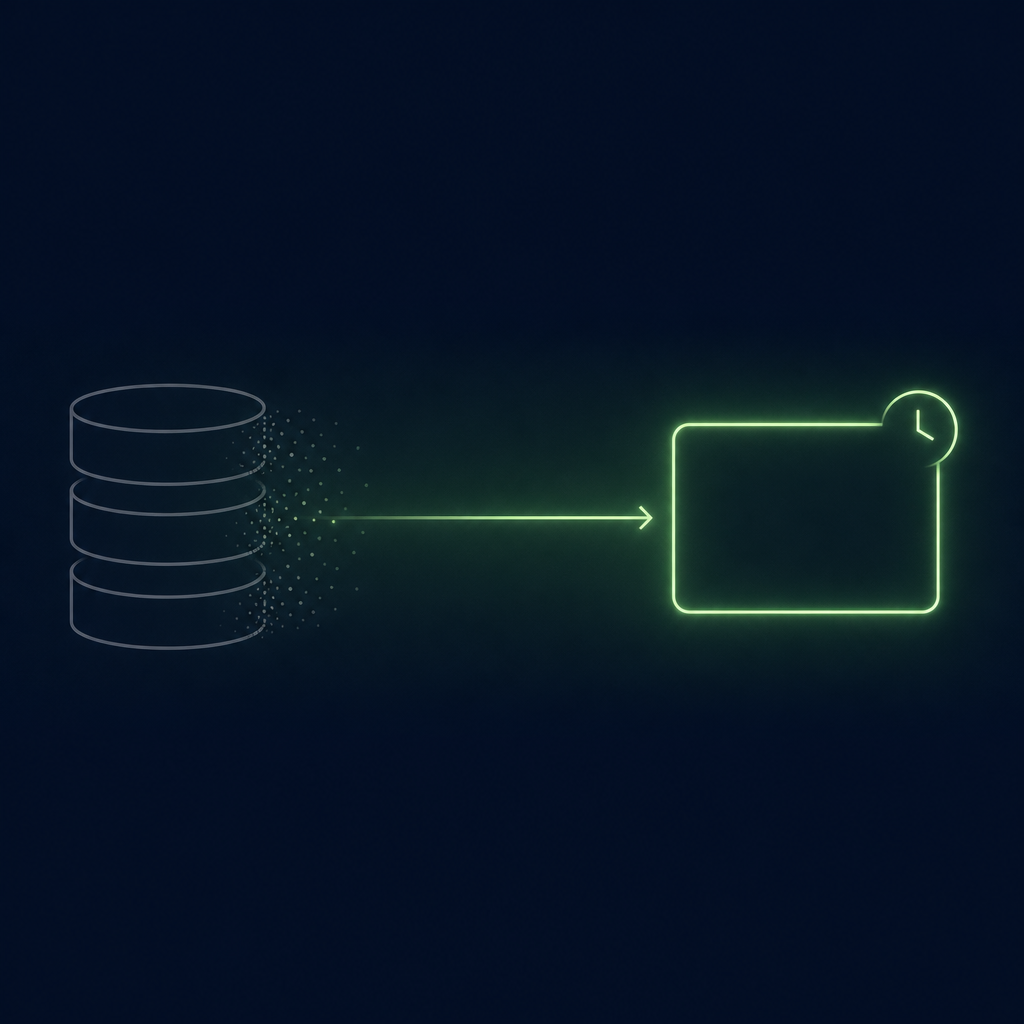
In the real-time lead data vs static database decision, real-time data is researched and verified when you ask for it, while a static database stores records collected earlier and refreshes them on a cycle. Neither is better in the abstract. Fast-decaying fields you touch once (employer, title, mailbox) favour research at use time; slow-decaying fields you reuse constantly (size, industry, location) favour a stored database, and most teams need both.
Real-Time Lead Data vs Static Database: The Short Answer
- The difference is when a fact is checked, not how good the vendor is. A stored record was true at collection and is re-checked on the vendor's schedule; a use-time record is checked when you need it and then starts ageing the moment it is delivered. Both are point-in-time claims; only the timestamps differ.
- Decay is field-specific, so the decision is field-specific. US median job tenure was 4.1 years in January 2026 (Bureau of Labor Statistics), and the economy recorded 62.8 million separations and 63.0 million hires in 2025. Those are economy-wide figures, not your list's decay rate, but they show why employer, title and mailbox belong in the fast-decay rows and headquarters, industry and revenue band in the slow ones. Buy each field the way its decay demands.
- Price per record misleads; price per usable record decides. A cheap stored record that is wrong at the moment of use costs a bounce, a complaint risk and a rep's time. A dearer use-time record that is right costs only its price. The worked example below shows the arithmetic without any vendor's price list.
- Research at use time is not free of failure modes. It is slower per record, it can miss people with a thin public footprint, and verification is still probabilistic (accept-all mail servers, shared switchboards). The hybrid most teams end up with stores the account universe and re-checks the person at the moment of outreach.
What "real-time" and "static" actually describe
The two labels hide three operating models, and the vendors ranking for "real-time lead data vs static database" use the words loosely, so it is worth defining what each one does with a record over time.
A stored database collects records, holds them, and refreshes them on a schedule or when a change signal arrives. The refresh policy is the product. Apollo's knowledge base says the platform "refreshes data in real-time whenever the Apollo system captures a data signal, such as a job change or a new phone number or email" and "runs monthly checks on its database"; ZoomInfo describes continuous monitoring backed by "300+ human researchers" and claims "up to 95% accuracy on first-party data"; Lusha's materials promise data "verified at the source, refreshed daily". Read those as the vendors' own statements about their own processes. None of them changes the basic mechanic: the record you export is the last verified value, and its age is whatever the gap is between the last verification and your send.
Research at use time does not need to hold a record between uses; what is retained afterwards depends on what you save or export. When you ask for a person or an account, the system searches public and licensed sources at that moment, assembles the record, verifies what it can, and stamps the result with the date. Lead Seeker works this way: lead search returns fresh records pulled at the moment you run it, and every dossier carries a generated-on date with freshness notes and source references when live public research is available. The record is as fresh as its sources were at the moment of the search, which is not the same as current: a licensed field or a public profile can itself be weeks old. From delivery it ages exactly like any other record, which is why "real-time" describes the moment of collection, not a permanent property.
Enrichment on demand, including waterfalls, sits between the two. A waterfall chains several providers in a set order and takes the first confident answer; as Clay's guide puts it, "a record stops at the first confident result, and you are billed only for" the path it walked. The lookup happens when you ask, but the answer usually comes from one or more stored databases, so freshness is bounded by the freshest source in the chain rather than by the moment of the request.
Two consequences follow. First, "real-time refresh" in a stored database and "research at use time" are not the same promise: one says we update when we notice a change; the other says we look when you ask. Second, every model is only as good as the timestamp and the source it shows you. A record with no date and no source cannot be aged or audited, whichever model produced it.
Which fields decay fast enough to matter?
Data decay is usually quoted as a single percentage per year. One page ranking for this query states that "up to 70% of B2B data becomes outdated within a year", linking to a trade-news article rather than a study, and another cites Salesforce's State of Sales for "91% of CRM data is incomplete". We could not trace the 70% figure to a sample or a method, so it does not appear here as a fact. The better approach is to look at what actually drives decay, field by field, using labour-market data that is measured.
The Bureau of Labor Statistics reported on September 24, 2026 that the median tenure of US wage and salary workers with their current employer was 4.1 years in January 2026, up from 3.9 years in January 2024. For workers aged 25 to 34, the cohort that fills many manager and individual-contributor seats in a target list, median tenure was 3.0 years; for workers aged 55 to 64 it was 9.6 years. Its Job Openings and Labor Turnover Survey counted 63.0 million hires and 62.8 million total separations in 2025, with quits making up 60.6% of separations and an annual average hires rate of 3.3% (the average of the monthly rates, each expressed as a share of employment). Those are economy-wide numbers, not a decay rate for your list: they count repeat moves and workers who will never appear in a B2B file, and they cannot tell you how many of your records changed last year. What they do establish is that job movement is large, continuous and faster in younger cohorts, which is why employer, title and mailbox sit in the fast-decay rows below, and why a sample of your own records, not a national average, is the only decay rate worth budgeting on.
| Field | What changes it | Decay speed (editorial judgement from the drivers above) | Better bought as |
|---|---|---|---|
| Company name, HQ location, industry, founding year | Mergers, relocations, rebrands | Slow: years | Stored, refreshed annually |
| Headcount band, revenue band, funding stage | Growth, layoffs, rounds | Medium-slow: quarters | Stored, refreshed quarterly or checked when a signal arrives |
| Person's employer and title | Job changes, promotions, reorganisations | Medium-fast: tied to tenure; fastest in younger cohorts | Checked at use time, or stored with a last-verified date and re-checked before outreach |
| Work email deliverability | Follows the employer field; domain changes; mailbox policy | Fast: fails the day the person leaves | Verified at use time, every time |
| Direct dial and mobile | Mobile numbers often outlive the job; desk lines do not | Mixed: the number may still ring, the person may no longer be relevant | Verified at use time against the current employer |
| Buying signals (hire, posting, round, RFP) | The event itself | Fastest: days to weeks of usefulness | Never stored as "current"; dated and re-read at use time |
The table explains why "static vs dynamic" arguments talk past each other. A stored database can be excellent at the top three rows and mediocre at the bottom three, and a use-time workflow can be the reverse: precise on the person and the moment, thinner on the long tail of small companies that no public source has described recently. The purchase decision is not "which model" but "which rows does my motion depend on most".
The Decay-Reuse Matrix: the decision device
The real-time lead data vs static database choice is made field by field, so put two questions to every field you pay for: how fast does it decay, and how many times will you use it before it decays? The answers place the field in one of four cells, and each cell has a default buying model.
| Reused many times (segmentation, territory design, reporting) | Used once or rarely (one outreach, one meeting brief) | |
|---|---|---|
| Slow decay (firmographics, account universe) | Store it. Buy once, refresh annually, reuse freely. A stored database earns its price here. | Use the cheapest source. Public registries, company sites and free tiers cover most one-off firmographic questions. |
| Fast decay (person, mailbox, phone, signal) | Store the container, re-check the contents. Keep the account and the seat; re-verify the person at each use. This is the hybrid most teams should run. | Research at use time. Pay for the record when you need it, with a date and a source, and let it expire. Storing it buys you nothing but decay. |
Three rules of thumb fall out of the matrix. If most of your spend is in the top-left cell, a stored database is the right primary purchase and "real-time" pitches are solving a problem you do not have. If most of your spend is in the bottom-right cell, a per-record use-time model is cheaper than it looks, because you stop paying to keep records alive between uses. If you are in the bottom-left cell, the question is not which vendor but whether your stored tool re-verifies at export or ships the stored value; that single product behaviour decides how much decay you send to your reps.
Side by side on the seven properties that change the decision
| Property | Stored database | Research at use time | What actually decides it |
|---|---|---|---|
| Freshness | As fresh as the last refresh; the age of a record is invisible unless a last-verified date is shown | As fresh as the moment of the request; ages from delivery | Whether either product shows a per-field date. No date, no freshness claim. |
| Source transparency | Usually aggregated; the origin of a field is rarely shown per record | Can show the public source behind each field when live research is available; licensed fields may still be opaque | Ask to see the source and date on a sample record before contract, not a slide about methodology |
| Coverage | Broad: hundreds of millions of records, strong on established companies and common titles | Narrower on the long tail; strong where people and companies leave a current public footprint | Test your hardest ICP segment, not the vendor's demo segment |
| Speed | Instant: filter, export, done | Seconds to minutes per search; batch jobs take longer | Whether your motion needs 5,000 rows today or 50 right people this week |
| Cost | Seat or contract price plus credits; cost per record falls with volume, cost per usable record rises with age | Per record or per unit consumed, often with a flat workspace fee; no charge to keep records alive | Cost per usable record at the moment of use, computed on your own sample (see below) |
| Decay | Continuous while stored; managed by the vendor's refresh policy and your own hygiene | None accrues in storage before delivery, though the underlying sources can themselves be old; identical to any other record afterwards, so re-run rather than store | How long the gap is between check and use in your workflow |
| QA | Sample the export; bounce and job-change tests on records of known age | Sample the output; check that dates and sources are present and that verification was actually performed | Whoever runs the ten checks below on a real sample wins the argument |
Two caveats belong next to this table because they are the ones most often lost when it is quoted. Research at use time can be wrong at the moment of use: a mail server that accepts every address will pass an SMTP check for a person who left last month, and a public profile can lag a job change by weeks. And a stored database can be right for years on the fields that do not move: an account list built on industry, size and location decays slowly enough that annual refreshes are adequate. Neither model removes the need for a verification step; they change where the step sits and who pays for it.
Cost: price per record vs price per usable record
The number that should drive the purchase is the cost of a record that is correct at the moment a rep uses it. Write it as:
Cost per usable record = total spend ÷ (records actually used × share of those records that were correct when used).
Both halves of the denominator are yours to measure, and neither appears on a pricing page. Records purchased but never touched inflate the apparent value of a stored database; records that were wrong at send time deflate it. The following example is synthetic and labelled as such: the amounts are round numbers chosen to show the arithmetic, not any vendor's price.
A team of eight reps works 400 new contacts a month, 4,800 a year. Suppose a stored database costs 12,000 a year and the reps use 4,800 records from it. If a 90-day-old export tests at 78% correct on employer, title and mailbox together, the team spent 12,000 for 3,744 usable records: 3.21 per usable record. If the same 4,800 records were researched at use time at 2.75 each, plus a 1,200 workspace fee, the spend is 14,400, and if 94% test correct at delivery the team bought 4,512 usable records at 3.19 each. The two models are nearly level on this input, which is the point: the decision turns on your usable share, your reuse rate and your volume, not on the headline price.
Now move two inputs. If the reps only ever touch 2,400 of the stored records because the rest sit in territories nobody works, the stored cost per usable record doubles to 6.41, while the use-time model, which only charges for records requested, drops to 7,800 (2,400 × 2.75 plus the 1,200 fee), or 3.46 per usable record at the same 94%; the flat fee keeps it from halving outright. If instead the team runs a 20,000-row TAM build for territory planning, the stored database's cost per firmographic record falls to cents and the use-time model is the wrong tool for that job entirely. The matrix above is just this arithmetic drawn as a picture.
Lead Seeker's model, for transparency, is hybrid: a flat monthly workspace fee plus included Lead Units that are consumed only when a new search returns a live person record, with a 99-dollar, 50-unit, 14-day pilot available at the time of writing; the details are on the pricing page and can change, so read that page rather than this paragraph before budgeting. The prospect dossier page states that exports do not re-run a paid search and that Lead Units are consumed only when you explicitly refresh or enrich a saved contact, which matters for the decay column: a saved record ages like any other until you re-check it.
Source transparency and the accuracy obligation you already have
If the people in your list are in the EU or UK, the freshness question is not only commercial. Article 5(1)(d) of the GDPR requires that personal data be "accurate and, where necessary, kept up to date; every reasonable step must be taken to ensure that personal data that are inaccurate, having regard to the purposes for which they are processed, are erased or rectified without delay", and Article 5(1)(e) requires that data be "kept in a form which permits identification of data subjects for no longer than is necessary for the purposes for which the personal data are processed". The UK Information Commissioner's Office puts the practical test plainly in its accuracy guidance: "You should take all reasonable steps to ensure the personal data you hold is not incorrect or misleading as to any matter of fact", and "You may need to keep the personal data updated, although this will depend on what you are using it for."
Read against the two models, that is a distinction with a cost attached. A stored database of people places the keeping up to date obligation on whoever holds the copy, for as long as they hold it. A use-time workflow can shorten the period in which a copy is held, but only if neither the vendor nor your team retains the record beyond the use; saved contacts and CRM exports are stored data whoever produced them, so ask about the product's retention and audit your own. What use-time research adds more reliably is a date and, where public research is available, a source you can point to if a record is challenged. None of this makes use-time research automatically compliant or stored data automatically non-compliant; lawful basis, transparency notices and opt-out handling apply to both, and Lead Seeker's own trust page sets out that its records come from proprietary signals, publicly available sources and lawfully licensed providers, with no scraping of gated platforms and no bulk lists from unvetted resellers. It does mean that "where did this field come from and when" is a question your data protection lead will ask, and a model that answers it per record is easier to defend than one that answers it per vendor.
Source transparency also has a plain sales value. When a rep can see that a title came from a company newsroom post dated three weeks ago, the first message can say so; when the title came from "our database", the message cannot. That is the mechanism behind the reply-rate argument for fresh data, and it is a mechanism, not a statistic: we are not going to quote you an uplift figure, because no honest one exists for your list until you test it.
Speed and coverage: where research at use time loses
It would be convenient for a company that sells use-time research to claim it wins everywhere. It does not, and the losses are predictable.
Speed at volume. A stored database returns 5,000 filtered rows in the time a use-time search returns a handful of dossiers. If the job is a territory carve, a TAM count for a board deck or a list for a physical mailer, the stored model is the tool; the fields those jobs need are the slow-decay rows of the field table, and freshness at the person level is beside the point.
Coverage on the long tail. Research at use time is only as good as the public and licensed footprint of the person and company at that moment. Established companies with newsrooms, filings, active hiring pages and staff who maintain public profiles research well; a 12-person regional firm whose owner has not posted since 2023 may return a thin record or none. A stored database that captured that firm's contacts two years ago will have something, with the caveat that "something" may be exactly the stale record the whole argument is about. For the segments where this bites, the honest comparison is "a dated thin record now" against "an undated fuller record of unknown age", and which of those you prefer depends on whether the outreach is a phone call (where a wrong number costs a minute) or an email sequence (where a wrong address costs deliverability).
Integration depth. Stored databases have had years to build native CRM sync, dedupe, suppression and field-mapping. Use-time tools export dossiers and contacts and increasingly connect through APIs and agents, but if your operation depends on nightly bidirectional sync of 200,000 records, ask the use-time vendor to show that exact job before assuming parity.
Cost at high reuse. If the same 3,000 accounts are touched by marketing, SDRs and customer success every month, storing the account layer is cheaper than re-researching it, and only the person layer needs the use-time treatment. That is the bottom-left cell of the matrix, and it is where most mid-market teams actually live.
QA: the ten checks that settle the argument on your own sample
Run these on a sample of 50 records from each model, drawn from your ICP's hardest segment, before any renewal or purchase. Score each record 1 or 0 per check and compare totals. The checks are the same for both models; the answers will not be.
- Date present. Does every field, or at least the person-level fields, carry a last-verified or generated-on date? A record without a date cannot be aged, so it fails this check regardless of accuracy.
- Source present. Can you open the public source behind the employer and title? If the source is "proprietary", note it; it is not a failure, but it is a limit on what you can audit.
- Employer still current. Check the person's current employer against a public source you find yourself, today. This is the single most predictive check for the whole record.
- Title still current. Same test for title; promotions and reorganisations change the buying role without changing the employer.
- Mailbox status at use time. Run a verification on the address now, and record whether the domain is accept-all. An accept-all "valid" is a weaker result than a confirmed mailbox, whichever model delivered it.
- Phone reaches the person in that role. A mobile that rings is not a pass if the person has changed jobs; score the number against check three.
- Age of the record at use. For the stored model, record the export date minus the last-verified date; for the use-time model, the delivery timestamp. This is the decay input for the cost formula.
- Coverage. How many of the 50 requested people or seats came back with a usable record at all? Missing records are a cost you pay in rep time.
- Latency. How long from request to usable record? Minutes matter for signal-triggered outreach and do not matter for territory planning.
- Re-verification on export. Does exporting or syncing re-check the record, or ship the stored value? Ask the vendor to demonstrate it live; the answer decides how much of check seven your reps inherit.
Two of these checks connect directly to sender reputation. Google's email sender guidelines tell bulk senders to keep the spam rate reported in Postmaster Tools below 0.10% and to avoid ever reaching 0.30%, and require one-click unsubscribe on marketing messages. A stale record does not generate a spam complaint by itself, but a message to the wrong person at the wrong company is the kind that does, and you paid for the privilege. The cheapest complaint to avoid is the one you never sent, which is what checks three, four and five are for; the mechanics of the mailbox side are covered in how to reduce cold email bounce rates.
A synthetic example: a twelve-rep team deciding at renewal
The following is an invented scenario built to show the decision path; it is not a customer account and no personal data appears in it.
A twelve-rep mid-market software team is sixty days from renewing a stored database. The team's motion is signal-led: reps work accounts that have posted a relevant role or announced a leadership change, and they send short sequences to two or three people per account. Marketing separately maintains a 40,000-account universe for segmentation and reporting.
The RevOps lead runs the ten checks on 50 records from a 90-day-old export and on 50 use-time dossiers for the same seats. The stored sample scores well on coverage (46 of 50 returned) and poorly on employer currency (11 of 46 had changed employer or title) and mailbox status (nine bounced or resolved to accept-all domains). The use-time sample scores lower on coverage (41 of 50) and higher on currency (two of 41 stale) and mailbox status (three accept-all, none bounced), with an average latency of about a minute per dossier, a generated-on date on every dossier and a source reference on most person-level fields.
Placed on the matrix, the team's spend splits cleanly. The 40,000-account universe is slow-decay, high-reuse: it stays in a stored tool, refreshed annually, and could move to a cheaper firmographic source at the next renewal. The person layer is fast-decay, used once per sequence: it moves to research at use time, triggered by the signal that put the account on the list. The renewal conversation changes from "which database" to "a smaller stored account layer plus per-record research for people", and the cost-per-usable-record calculation, run on the team's own numbers rather than the illustrative ones above, decides the split. Note what the example does not claim: no reply-rate uplift, no revenue figure, no "real-time wins". It claims that a sample, a matrix and a formula produced a decision the team can defend.
Where Lead Seeker fits, and where it does not
Lead Seeker is a research-at-use-time product, so it belongs in the bottom row of the matrix: the person, the mailbox, the phone and the signal, checked when you ask and delivered with a generated-on date, freshness notes and source references when live public research is available. It is not a 40,000-row firmographic warehouse, it will return thinner records where a company has left no recent public footprint, and it is slower per record than a filter-and-export. If your problem is the top-left cell, keep your stored database and skip the pilot.
If your problem is the bottom row, the honest test is the one described above. Take five accounts from your hardest segment, request the people you would actually contact, and score the dossiers with the ten checks against the same seats from your current export. The compare page sets out how the workflow differs from the big stored databases without pretending they are worse at what they are good at, and the prospect dossier template shows the record structure we recommend, including the per-field date and source that make check one and check two passable; in Lead Seeker dossiers the date is stamped on every record and claims link to their public source where one is available.
Who wrote this and how it was checked
Bob Generale wrote this guide from the perspective of an operator who has bought, renewed and cancelled stored databases for outbound teams. He is President of Percepture, which is related to Lead Seeker, the publisher of this page; Percepture's B2B intent-data service is linked here as a related party for teams that want an agency to run the data and outbound programme rather than a tool, and it should be evaluated with that relationship in mind. Alex Mannine, Global Head of Strategy & AI at Percepture, reviewed the technical sections: the three operating models, the verification limits (accept-all domains, profile lag) and the cost formula.
Research for this page was done on September 26, 2026. Labour-market figures are from the Bureau of Labor Statistics releases of September 24, 2026 (employee tenure) and March 13, 2026 (2025 annual JOLTS estimates). Legal text is quoted from the GDPR and the ICO's accuracy guidance. Vendor refresh statements are quoted from the vendors' own knowledge bases and marketing pages and are labelled as their claims. Competitor pages ranking for the query were reviewed for structure and evidence; their unsourced decay percentages were checked for a primary source and not found, so none is repeated as fact. No customer data, private benchmark or conversion rate was used. Sibling guides cover the decay mechanics and the cost of bad data in more depth: how fast B2B contact data decays, what bad B2B contact data costs sales teams, and, for the signal side of a record, real-time intent data and intent data vs contact data.
Frequently Asked Questions
What is the difference between real-time lead data and a static database?
A static database stores records collected earlier and refreshes them on the vendor's schedule or when it detects a change; the record you export is the last verified value plus whatever time has passed since. Real-time lead data is researched and verified at the moment you request it, then delivered with a date and, where available, a source. The difference is when the fact was checked, not whether the vendor is careful, and both records begin ageing the moment they reach you.
Is real-time lead data always more accurate than a database?
No. Verification at use time is still point-in-time and probabilistic: a mail server that accepts every address will pass a check for someone who has left, public profiles can lag a job change by weeks, and a thin public footprint produces a thin record. What use-time research changes is the age of the record at the moment you use it and your ability to see the source. On fast-decaying fields that is usually a large advantage; on slow-decaying firmographics it is no advantage at all.
How often do B2B contact databases refresh their records?
It varies by vendor and by field, and the only reliable answer is in each vendor's own documentation and your own test. Apollo's knowledge base describes refreshes triggered by data signals such as a job change plus monthly database checks; ZoomInfo describes continuous monitoring supported by a human research team; Lusha's materials describe daily refreshes. Treat those as the vendors' statements, then measure the age of the records you actually receive by exporting a sample and checking employer, title and mailbox yourself.
What is the opposite of static data in prospecting?
Vendors use "dynamic", "live" or "real-time" data as the opposite of static data, and the terms are not standardised. The useful distinction is operational: static data is held and refreshed on a cycle; dynamic or live data is either refreshed when a change is detected or researched when you ask for it. Those are different promises with different costs, so ask which one a vendor means before comparing prices.
When is a static database the better buy?
When the fields you depend on decay slowly and you reuse them often: building an account universe, carving territories, counting a market, segmenting for reporting or feeding an integrated CRM at volume. Firmographics such as industry, size band and location change over years, so an annual refresh is adequate and the stored model's low cost per record is real. Research at use time is the wrong tool for a 20,000-row planning job.
What does real-time lead data cost compared with a stored database?
Compare cost per usable record, not price per record: total spend divided by (records actually used × share of those records that were correct when used). Stored databases usually price by seat and credits, so the cost per record falls with volume while the cost per usable record rises with age and with records you never touch. Use-time models charge per record or per unit consumed, often with a flat workspace fee, and charge nothing to keep records alive between uses. Run the formula on a 50-record sample of each before deciding.
How do you QA lead data before paying for it?
Pull 50 records from your hardest ICP segment through each model and score ten checks per record: date present, source present, employer current, title current, mailbox status now including accept-all, phone reaches the person in that role, age of the record at use, coverage of the 50 requested, latency, and whether export re-verifies or ships the stored value. The totals, plus the cost formula, give you a defensible decision without relying on any vendor's accuracy claim.
Sources
- US Bureau of Labor Statistics, Employee Tenure in 2026 (news release, September 24, 2026): median tenure 4.1 years in January 2026, 3.9 years in January 2024; 3.0 years for ages 25 to 34; 9.6 years for ages 55 to 64
- US Bureau of Labor Statistics, Job Openings and Labor Turnover, January 2026 (news release, March 13, 2026, including 2025 annual estimates): 63.0 million hires, 62.8 million total separations, quits 60.6% of separations, annual average hires rate 3.3%
- US Bureau of Labor Statistics, Job Openings and Labor Turnover, July 2026 (news release, September 1, 2026): hires 5.1 million (3.2%), total separations 5.1 million
- Regulation (EU) 2016/679 (GDPR), Article 5, points (1)(d) accuracy and (1)(e) storage limitation, quoted verbatim
- UK Information Commissioner's Office, Principle (d): Accuracy: "At a glance" guidance quoted above
- Google, Email sender guidelines: spam rate below 0.10%, never 0.30% or higher; one-click unsubscribe for marketing messages
- Apollo, Apollo Data Overview (knowledge base): "refreshes data in real-time whenever the Apollo system captures a data signal, such as a job change or a new phone number or email"; "runs monthly checks on its database"
- ZoomInfo, How ZoomInfo Gets Data (company blog): "300+ human researchers"; "up to 95% accuracy on first-party data"; continuous monitoring
- Lusha, Lusha Data Framework (company page): "verified at the source, refreshed daily"
- Clay, The Complete Guide to Waterfall Enrichment (company guide): "a record stops at the first confident result, and you are billed only for" the path
- Pages ranking for the query on September 26, 2026, reviewed for structure and evidence: ZoomInfo "Static vs. Dynamic Data: What GTM Teams Need to Know" (cites Salesforce for "91% of CRM data is incomplete"); SalesLeads Inc. "Static vs Dynamic B2B Data" (June 2021; "up to 70%" decay figure linked to a trade-news article, no primary source found); Sprouts.ai "Real-Time vs Static Database for B2B Sales" (undated, no statistics); Leadspace "From Static to Dynamic"; Datamatics "Static vs Dynamic Data" (June 2024)
- Lead Seeker, compare, pricing, trust and prospect dossier pages, for the product statements made above
Next Steps
Score 50 records from your current export with the ten checks, put your spend through the cost-per-usable-record formula, and place each field on the Decay-Reuse Matrix; the real-time lead data vs static database split will be obvious from your own numbers. If the stored tool you are renewing is the category-defining one, the zoominfo alternative page explains what changes when records are pulled at search time instead of exported from stored rows, and the compare page covers the other major databases in the same terms.