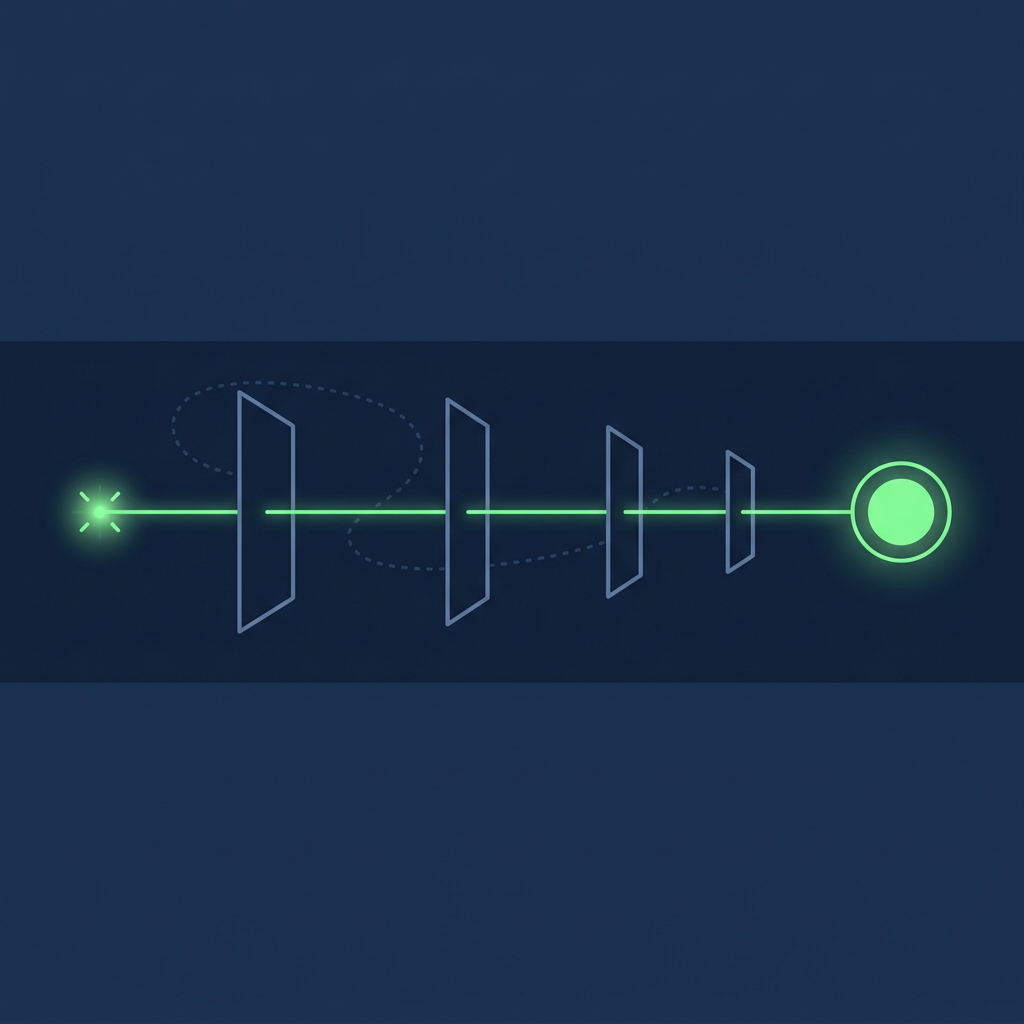
To reduce time between buying signal detection and sales touchpoint, timestamp every hop the signal takes (detected, delivered, owned, touched), find the slowest scheduled hop, and remove the wait you control: route alerts to a named owner, attach a verified contact before the alert fires, and pre-write the next action. What remains is the vendor's delivery cadence, which sets a floor no rep can beat.
Reduce Time Between Buying Signal Detection and Sales Touchpoint: The Short Answer
- Measure five timestamps, not one. The Signal Clock below records when the event happened, when a vendor detected it, when it reached a rep's tool, when a named owner had a verified contact and a next action, and when the first buyer-facing touch went out. The phrase in this guide's title is the interval from the second stamp to the fifth.
- The vendor's cadence is the floor. 6sense states that each account's intent score "is updated daily". Demandbase's data-availability article lists "Demandbase Intent" as processed "Every Sunday", and its Salesforce intent help page says new data is "ready for use by the start of the business day on Monday". Unify evaluates record-match triggers "about every 15 minutes". No workflow downstream delivers a signal faster than the slowest of these hops.
- The controllable delay sits after delivery. Unassigned alerts, a contact search started only after the alert arrives, and a blank first line are the waits a team can remove. The Release Card below holds the four fields (ICP fit, timing, contact relevance, next action) a signal needs before it reaches a rep.
- Speed research measured declared leads, not detected signals. The minutes-matter figures in circulation come from a 2007 InsideSales.com and MIT study of web-generated leads, people who filled in a form. A detected signal is an inference about an account. Apply the minutes clock to declarations and a days clock, tested on your own data, to signals.
Which signals this guide covers, and where proof begins
A buying signal is an observation consistent with buying and also consistent with other explanations: a company-level visit to a pricing page, a person-level visitor reveal, a third-party topic surge, a newly hired executive, a funding announcement. Proof of purchase intent is a declared act whose plainest explanation is an intention to buy: a demo request, a trial started with a work e-mail, a reply that asks about price. Buying signals vs intent data sets out the grades of evidence in detail; Percepture's primer on what is B2B intent data covers the vocabulary.
The distinction decides which clock applies. A declaration names a person who asked to be contacted, so every minute of delay is a minute the person waits. A detected signal names an account, sometimes a person, and a guess about motive. Touching it in five minutes without knowing who owns the problem trades a timing gain for a relevance loss. The table records, for each signal type, the timestamp that actually exists in the record and the confidence it can carry.
| Signal type | Where it comes from | Timestamp you can record | Level | Confidence | Signal or proof |
|---|---|---|---|---|---|
| Demo request, form fill, reply | Your own forms, inbox and product | Submission time, to the second | Person, declared | Declared | Proof |
| Person-level visitor reveal | A visitor identification graph (Warmly, RB2B) | Page-view time and alert time; RB2B describes "instant notifications" for new U.S.-based visitors | Person, inferred from a cookie or device match | Inferred | Signal |
| Company-level website visit | IP-to-company resolution (Leadfeeder, Demandbase, 6sense) | Page-view time; the reveal reaches you on the vendor's processing schedule | Account | Inferred | Signal |
| Third-party topic surge or intent score | Data co-operatives and publisher networks (Bombora, 6sense, Demandbase) | The date the score changed, not the date of the research; Bombora compares "the most recent three weeks of activity against a 12-week historical baseline" | Account | Modelled | Signal |
| Public business event: executive hire, funding round, posted role | Press releases, filings, job boards | Publication date on the public record | Account, sometimes a named person | Observed in a public record | Signal |
| Champion job change | Profile updates | The date the change was noticed, which can trail the start date | Person | Observed, with lag | Signal |
Two rows deserve a second look. A topic surge has no event time at all: it is a three-week window compared with a twelve-week baseline, so "detected within the hour" adds nothing to a signal whose underlying activity can be weeks old. And a person-level reveal carries a timestamp precise to the second while resting on an inferred identity link, which is why the visitor's page view should not be quoted back to them. Website visitor identification platforms and anonymous traffic unmasking explains how those identities are produced and what a reveal can bear.
The Signal Clock: five timestamps between the event and the first touch
The Signal Clock is the measuring device this guide uses. Without it, a team trying to reduce time between buying signal detection and sales touchpoint sees only the last segment, the rep. The clock splits the gap into four segments, each owned by someone different, so the fix lands on the right segment.
| Stamp | What it records | Who writes it | Where to store it |
|---|---|---|---|
| S0 Event | When the activity happened: the page view, the job posting, the funding announcement, the research week | The world; the vendor reports it when it can | A date field copied from the vendor payload or the public record |
| S1 Detected | When the vendor processed the activity into a signal or score change | The vendor | The vendor's own timestamp on the signal, if exposed; otherwise its documented processing time |
| S2 Delivered | When the signal arrived in a tool a rep works in: Slack, the CRM, an e-mail digest | Your integration settings | Alert log or a CRM date property set by the integration |
| S3 Owned | When a named owner held a verified contact in a relevant role and a chosen next action | Your routing and your research | A CRM date property set when the Release Card is complete |
| S4 Touched | When the first buyer-facing outreach (call, e-mail, message) was logged | The rep | The CRM activity record |
The four segments:
- Detection lag (S0 to S1) belongs to the vendor. You change it by buying a different product or delivery option, not by working harder.
- Delivery lag (S1 to S2) belongs to your configuration. Demandbase's data-availability article gives an example of how configuration stacks on top of processing: "a Marketo sync set to 24 hours could delay data availability by up to 48 hours."
- Ownership lag (S2 to S3) belongs to routing and research. An alert that lands in a shared channel with no owner, or with an owner who then spends an afternoon finding the right person, accumulates its delay here.
- Action lag (S3 to S4) belongs to the rep and to how much of the message was prepared before the alert arrived.
One measurement trap is built into common CRM fields. HubSpot defines its default lead property Time to First Touch as "the time between lead creation and first outreach activity." If the lead record is created when a rep decides to work the account, which is S3 in this model, the report shows only the action lag and hides detection, delivery and ownership. Store S1 and S2 as their own date properties at the moment the integration writes the signal, and report on S1 to S4 as well as on the native field.
The Cadence Floor: where vendor delivery schedules set the minimum
The Cadence Floor is the shortest possible S1-to-S2 interval given the scheduled hops in your stack: if a signal waits for a weekly load, then a daily digest, then a CRM write-back, it cannot reach a rep faster than the longest of those waits, and the waits can add up. The table lists the cadences the vendors themselves document, as published in October 2026. It describes delivery, not data quality, and it is not a ranking.
| Vendor and source | Signal | Documented cadence (vendor wording) | What it means for the clock |
|---|---|---|---|
| 6sense, Intent Model support page (updated July 23, 2025) | Account intent score, 0-100 | "Each account's intent score is updated daily to account for any new activities." | A score change is a once-a-day event; an alert built on it inherits that pace |
| 6sense, ABM and SI Alerts support page (updated July 10, 2025) | Sales Intelligence and ABM alerts | Frequency set to "daily or weekly"; destination "email, Slack, or both" | A weekly setting can add up to a week of delivery lag on top of the score update |
| 6sense, Data Packs support page (updated August 10, 2026) | Bulk data files | "Daily files are processed starting at 00:00 UTC and typically delivered the same day." "Keyword intent is limited to weekly or monthly delivery." "Web intent is delivered daily, weekly, or monthly." | Keyword intent in a data pack cannot move faster than weekly |
| Demandbase, Understanding Demandbase Data Availability | Platform processing | Collects data "daily between 4 PM – 6 PM PT, with processed data typically available by 6 AM PT"; "Third Party Intent" and "Anonymous Page Views" daily; "Demandbase Intent" "Every Sunday"; "Lead-to-account matching" "Every 30 minutes"; "Technographics" monthly | Anonymous page views from one afternoon surface the next morning; Demandbase Intent moves weekly |
| Demandbase, Intent for Salesforce Data Cloud help page | Intent delivered into Salesforce | "Intent data is updated weekly, with new data delivered each Sunday. It is ready for use by the start of the business day on Monday." | Monday morning is the earliest a Salesforce-side intent alert can fire |
| Demandbase, same data-availability article | CRM write-back | "a daily write-back job"; calculated fields take "Two days (processing + write-back)" | A routing rule that reads a calculated field runs two days behind the activity |
| Leadfeeder (Dealfront), Website Visitor Identification Software page | Company-level website visits | "identifies the companies visiting your website in real time"; a "Real-time notifications" feature | Delivery lag can be small; ownership lag becomes the main segment |
| Unify, Plays triggers documentation | Automated plays | "Record match and audience triggers are evaluated about every 15 minutes. Lookalike company triggers are evaluated about every 30 minutes." | Up to about a quarter of an hour of scheduled wait before a play starts |
| Warmly, Rep Training help article | Website session alerts | "Slack Alerts are configured to send notifications when visitors are on your site in real-time"; owners can be @mentioned so "the right rep is notified instantly" | The alert can arrive while the session is live |
| RB2B, Slack integration help articles | Person-level visitor alerts | "instant notifications whenever RB2B identifies a new U.S.-based visitor"; return visits notified "once per day" | New U.S. visitors reach Slack immediately; repeat behaviour arrives daily |
Three practical consequences follow.
- Know which product you bought. The same vendor can run daily and weekly intent side by side; Demandbase's processing table lists "Third Party Intent" as daily and "Demandbase Intent" as every Sunday. Check the contract and the integration, not the marketing page.
- Staff to the floor. If intent lands on Monday morning, a Monday-morning review block with the Release Cards prepared on Friday removes more delay than any alert setting.
- Shorten the chain, not just the hops. An alert that goes from the vendor straight to the account owner's direct message, with a CRM record written in parallel, skips the wait for a write-back job and a report refresh. Real-time intent data covers the batch-versus-streaming distinction this choice rests on.
The Release Card: four fields a signal needs before it reaches a rep
Speed without relevance moves the delay instead of removing it: a rep who receives an account name and nothing else spends the next hours on research, and the ownership lag reappears inside the action lag. ZoomInfo's signal-based selling guide names "acting on account-level signals without confirming the right contact" among the common mistakes. The Release Card is the device that prevents it. A signal is released to a rep only when all four fields are filled; an incomplete card goes to a research queue that has its own clock.
| Field | Question | Filled when | Prepared ahead of the signal by |
|---|---|---|---|
| ICP fit | Is this account inside the written ideal customer profile? | Firmographic match recorded, exclusions checked (customer, competitor, supplier, partner) | Scoring the account list before any signal arrives |
| Timing | When did the event happen, and how long does this signal type stay useful? | S0 recorded, the window for this signal type stated | A per-signal window agreed between sales and marketing, written into the play |
| Contact relevance | Who at the account owns the problem this signal points to, and is the contact data verified now? | A named person in the role the signal implies, with a verification date | Keeping verified buying-committee contacts on file for target accounts |
| Next action | What is the first move, on which channel, referencing which fact? | Channel chosen, first line written around the public trigger or the declaration | A short library of first lines per signal type |
The card turns the speed problem into a preparation problem, a way to reduce time between buying signal detection and sales touchpoint that does not lower relevance. Three of the four fields can be filled before the signal exists, so that when it arrives only the timing field is new. Percepture's guide on using intent data to identify sales qualified leads describes the qualification step that sits behind the ICP and timing fields, and the staged workflow in signal based prospecting covers the move from a company event to a verified current person.
Mapping signal type to the four fields
The rows below are hypotheses to test on your own pipeline, not findings. They reflect this author's opinion of a sensible starting point and should be replaced by your own S1-to-S4 and reply data after a quarter.
| Signal type | ICP check | Hypothesis to test: response clock | Contact relevance | Next action |
|---|---|---|---|---|
| Declared: demo request, trial, reply | Fit check only; do not delay for research | Minutes, during staffed hours | The person declared themselves | Call or reply directly; this is the case the 2007 study measured |
| Person-level reveal on evaluation pages | Fit, plus confidence shown by the vendor | Same business day | Compare the title with the pages read; a title that does not own the decision is a door, not the buyer | A relevant touch that does not cite the visit |
| Repeated company-level visits after a public trigger | Fit, and the trigger corroborates it | One to two business days | The trigger names the role (new leader, posted role) | Research, then a first line about the public trigger |
| Third-party topic surge | Fit, and topic maps to a product line | Within the delivery week | The role that owns the topic, from your saved committee contacts | Sequence or ads; a rep call only when a second signal agrees |
| New executive hire, funding round, posted role | Fit | Days; the public record dates the event | The new leader, or the owner of the posted role | A first line about the event, not about tracking |
What the speed research measured, and what it did not
The figures that make speed feel urgent come from one source. The InsideSales.com and MIT Lead Response Management report, dated 2007, examined "3 years of data across six companies" and asked "How Much Time Do You Have Before Web-Generated Leads Go Cold?" It reported that the odds of contacting a lead "if called in 5 minutes versus 30 minutes drop 100 times", that the odds of qualifying "drop 21 times", that from 5 to 10 minutes "the dial to qualify odds decrease 4 times", and that "After 20 hours every additional dial your salespeople make actually hurts your ability to make contact to qualify a lead." Harvard Business Review's 2011 article "The Short Life of Online Sales Leads", by James Oldroyd, Kristina McElheran and David Elkington, covers the same line of research on online queries.
Every one of those leads had filled in a form. The study measured response to a declaration, not to a detected signal. Some pages that rank for this topic quote figures from this line of research about intent signals and attribute them to other firms; the numbers belong to web-form leads in 2007, and transferring it to an account-level topic surge is an assumption, not a finding.
For detected signals, published windows are recommendations. ZoomInfo's article advises treating "a pricing page visit as worth acting on for about 72 hours"; Salesmotion's framework heads its top tier "Act Within 24-48 Hours"; Overloop's playbook gives a pricing page "visited 3+ times in 7 days" a "5-7 days" half-life. The three disagree by days, and the right number for your market is the one your own S1-to-S4 and reply data show.
One survey adds context on why timing matters even without a decay curve. 6sense's 2025 Buyer Experience Report, a study of nearly 4,000 buyers, found the point of first contact moved "from about 69% of the journey in 2024 to 61% in 2025 — roughly 6 to 7 weeks sooner", and that "Ninety-five percent of the time, the winning vendor is already on the Day One shortlist." On a plain reading, a fast touch matters more when it reaches an account before or during shortlist formation than after it, which favours signals that appear early (research surges, hires, posted roles) over signals that appear late (a pricing visit after the shortlist exists).
A worked example (invented)
Pellam Field Software, an invented company, sells scheduling software to cold-storage operators. Its stack: a weekly third-party intent feed that loads on Sunday and is ready on Monday, a daily e-mail digest of alerts to a shared SDR inbox, and a company-level website identification tool with real-time Slack alerts. All names and times below are invented.
| Stamp | Before (invented) | After (invented) |
|---|---|---|
| S0 Event | Research on route-scheduling topics at Corrigan Cold Storage, an invented account, across the prior three weeks | Same |
| S1 Detected | Monday 06:00, score change after the weekly load | Same |
| S2 Delivered | Tuesday 07:00, next morning's digest to the shared inbox | Monday 08:00, alert to the account owner by direct message |
| S3 Owned | Wednesday 15:00, after the SDR found and verified the operations director | Monday 10:30, Release Card pre-filled: contact verified the previous Friday, first line drafted |
| S4 Touched | Thursday 10:00 | Monday 14:00 |
| S1 to S4 | About 76 hours | About 8 hours |
The gain came from delivery and ownership. Detection did not move, because the feed is weekly: the research behind the Monday score can be up to three weeks old, and nothing after S1 recovers that. On the same Monday at 13:10, the website tool flagged two sessions from Corrigan on the integrations page. That second, first-party signal is the one Pellam's rep should weight, because its S0 is minutes old. Its person-level counterpart, a reveal naming an analyst, failed the contact-relevance field and went to the research queue rather than to a sequence.
When a faster touch is the wrong goal
- When the contact field is empty. Touching the first e-mail address at the domain is faster and worse. Fill the card or hold the signal.
- When the message would cite the tracking. Reference the public trigger or the declaration, not the page a person read; the visit was not declared to you.
- When the geography or consent status does not support the action. RB2B's Slack notifications cover new "U.S.-based" visitors; a person-level reveal outside a vendor's covered geography, or without the consent your site records, should not start a sequence.
- When repetition replaces relevance. The 2007 study found that, for web-form leads, dials after 20 hours hurt contact. If an early touch on a detected signal gets no reply, a change of channel or person is a better test than more attempts on the same one.
- When the signal is weekly. Driving hours out of the action lag on a weekly modelled score produces a fast response to old activity. Pair it with a first-party or public-event signal before a rep calls.
Where Lead Seeker, Percepture and Pyra fit
Lead Seeker does not detect website visits and installs no pixel. It fills the contact-relevance and timing fields of the Release Card for public-event signals: you describe the accounts and roles you sell to, and it returns verified decision makers at accounts showing a dated public trigger, re-verified the moment you run the search, with the source linked on every row. The signal families it watches are described under buying-signal coverage in the platform. That shortens ownership lag for the signals in the last rows of the mapping table.
Percepture's B2B intent data services cover the programme around the clock: choosing signal sources, setting the windows and building the qualification step. For the vendor field on the third-party side, see best intent data providers. Pyra builds and runs AI agents for sales and operations workflows, which suits the routing step between S2 and S3 where a human approves the release. Bob Generale is President of Percepture and co-founded Pyra; Lead Seeker publishes this page.
Frequently Asked Questions
What are some buying signals in sales?
Buying signals are observations consistent with a purchase: a company-level or person-level visit to evaluation pages such as pricing or integrations, a third-party topic surge, a newly hired executive, a funding round, a posted role tied to your category, or a champion moving to a new company. They differ from proof of purchase intent, which is a declared act such as a demo request, a trial started with a work e-mail or a reply asking about price. Record when each signal happened and where it came from before acting on it.
How quickly should reps respond to a high-priority signal?
It depends on whether the signal is a declaration or a detection. For declared leads such as form fills, the 2007 InsideSales.com and MIT study of web-generated leads found the odds of qualifying dropped 21 times between a 5-minute and a 30-minute call, so minutes matter. For detected signals, published windows are recommendations that range from about 24 hours to several days. Fill the Release Card first, set a per-signal window as a hypothesis, and adjust it with your own signal-to-touch and reply data.
How should sales teams act on buying signals once they detect them?
Record the event date, the detection time and the delivery time; confirm ICP fit and exclusions; attach a verified contact in the role the signal implies; then send a first touch that references the public trigger or the declaration rather than the tracking. Route the signal to a named owner instead of a shared channel, and prepare the contact and first line for target accounts before signals arrive, so only the timing is new when the alert fires.
How do you tell the difference between a weak signal and a strong buying signal?
Grade the evidence and the timestamp. A declared act from a named person is the strongest; an observed public event with a publication date comes next; an inferred website visit with a vendor confidence value follows; a modelled topic surge, which compares three weeks of activity with a twelve-week baseline, carries the least precise timing. A signal grows stronger when a second, independent signal at the same account agrees within a short window and when the role it implies matches a contact you can verify.
Sources
- InsideSales.com and MIT, Lead Response Management Report, 2007: six companies, three years, web-generated leads, the 100-times, 21-times and 4-times figures and the 20-hour finding.
- James B. Oldroyd, Kristina McElheran and David Elkington, The Short Life of Online Sales Leads, Harvard Business Review, March 2011.
- 6sense, The B2B Buyer Experience Report for 2025: nearly 4,000 buyers, point of first contact at 61 percent, the Day One shortlist finding.
- 6sense support, Intent Model (updated July 23, 2025), ABM and SI Alerts (updated July 10, 2025) and 6sense Data Packs (updated August 10, 2026).
- Demandbase help centre, Understanding Demandbase Data Availability and Demandbase Intent for Salesforce Data Cloud.
- Leadfeeder (Dealfront), Website Visitor Identification Software.
- Unify documentation, Plays: triggers.
- Warmly help centre, Rep Training for Warmly.
- RB2B help centre, Getting the Most out of RB2B's Slack Integration and Slack FAQs.
- Bombora, Company Surge Intent: the three-week versus 12-week scoring method.
- HubSpot Knowledge Base, HubSpot's default lead properties: First Outreach Date and Time to First Touch.
- ZoomInfo, How Top Sales Teams Use Signal-Based Selling in 2026, James Roth, updated September 2026: the 72-hour pricing-page advice and the account-level contact mistake.
- Other guides on the topic: Salesmotion, Signal-Based Selling: The Complete Framework for B2B Sales; Overloop, Buying Signals Playbook: B2B Outbound (2026); Salesloft, Why Most Teams Miss the Buying Signals Already in Their CRM, June 24, 2026.
- Lead Seeker product pages: Prospect Dossier, Trigger Signals and Try free, as published in October 2026.
About the Author
Bob Generale is President of Percepture and co-founder of Pyra. He works across SEO, AI search, digital PR, sales intelligence and AI-powered revenue systems, with a focus on connecting visibility, buyer intent and sales action.
Next Steps
Before you try to reduce time between buying signal detection and sales touchpoint, set a baseline: pull last month's worked signals, fill in S1 to S4 for each, and find the segment with the longest median wait before changing any alert setting. Then pre-fill the contact field for your target accounts: see how Lead Seeker works end-to-end, or claim 5 free verified leads and time how long the Release Card takes with verified contacts already on file.