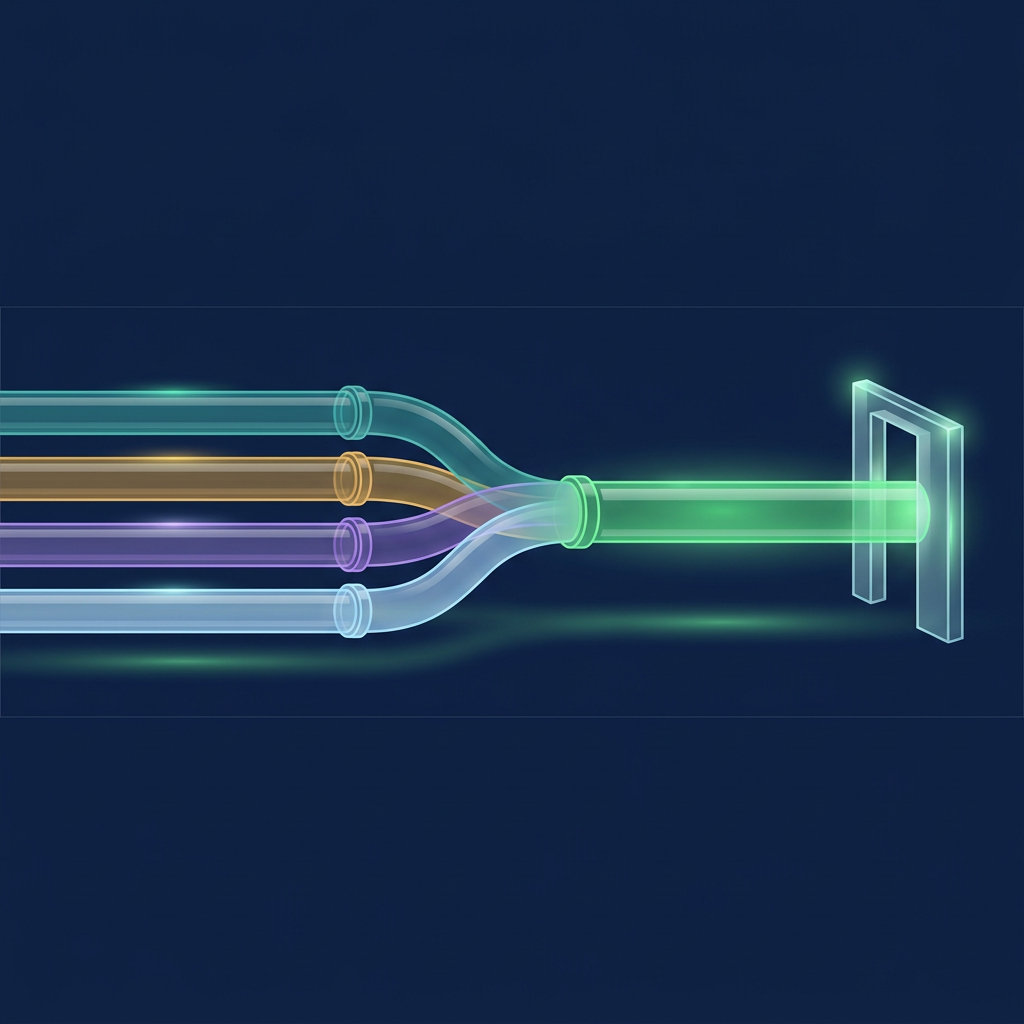
Clay data enrichment fields and integrations work as a routing layer: Clay writes fields into table columns from providers such as Clearbit, Hunter, ZoomInfo and LinkedIn-based lookups, and each column inherits that provider's source, status and refresh behaviour. Clay's own pages describe the fields and the billing units, not whether a value is current, verified or ready to send.
Clay Data Enrichment Fields and Integrations: The Short Answer
- Clay is a routing layer, not a database. A third-party comparison states that Clay owns no data. Clay's FAQ describes a marketplace of "150+ data partners" and says bringing your own API key skips Data Credit costs.
- Each provider fills different fields. Clearbit's Clay actions return firmographic and person fields from a domain or work email, Hunter finds and validates emails, ZoomInfo needs your own account, and the LinkedIn-style actions start from a profile URL.
- Verification is a separate column. Hunter returns a status per email. Clearbit and ZoomInfo actions on Clay's pages list fields, not a per-field status.
- Source standing changes. HubSpot ended Clearbit's free tools in April 2025. Proxycurl, which one 2026 page still names as Clay's LinkedIn route, shut down in 2025.
- Use the Column Contract. Seven lines per enrichment column: provider, input, field written, field type, status returned, refresh rule and allowed action.
- Disclosure applies. Bob Generale, the author, is President of Percepture, and Lead Seeker publishes this guide. Both appear where relevant and are not scored against the providers here.
How the Top Results Answer This Query
The cited pages compare Clay with ZoomInfo or Clearbit, and none maps a field to a source, a status and a refresh rule.
| Page | What it answers | What it leaves open |
|---|---|---|
| DevCommX, Waterfall Enrichment: Clay vs ZoomInfo vs Apollo (April 20, 2026) | Waterfall order; lists Clay's sources as including "LinkedIn via Proxycurl", Clearbit and Hunter | Per-field outputs; whether each named provider is still operating |
| Bitscale, Clay vs ZoomInfo (March 2, 2026) | Clay as an orchestration layer; credits are not charged for enrichments that return no result | Which fields each provider writes; verification statuses |
| ZoomInfo Blog, Clay Clearbit Integration: Full Setup Guide | Integration methods, sync direction and a per-cell credit figure for Clearbit | Hunter and LinkedIn; the publisher also offers its own product as the data-quality layer |
| Prospect AI, Clay vs Clearbit vs ZoomInfo (April 4, 2026) | Waterfall logic, with title from a LinkedIn scraping provider and email checked through Hunter | Which scraping provider; accuracy and match-rate figures on the page are vendor claims |
| coffee.ai, ZoomInfo vs Clay | States that Clay owns no data and routes records through configured APIs | Field-level detail; build-time figures on the page are vendor claims |
What the Data Layer Is
The data layer is the set of columns that hold facts about an account or person, plus the metadata that says where each fact came from. In Clay, a column is an enrichment action that calls a provider. This guide defines a field as usable for outreach when its source, check and refresh rule are known.
Provider counts differ by page. Clay's FAQ says 150+ partners, ZoomInfo's page says 150+ providers, DevCommX says over 75 data sources and Bitscale says more than 200 vendors. The count matters less than what each provider documents about its own fields.
The Column Contract
The Column Contract is this guide's framework, not an industry standard. Every enrichment column gets seven lines before it is trusted.
| Line | Question | Where the answer comes from |
|---|---|---|
| Provider and account | Whose data is it, and whose account pays? | Clay action page: Clay credits or your own account |
| Input | What identifies the record? | Action page: work email, domain, name plus company, profile URL |
| Field written | Which column does it fill? | Action page output list |
| Field type | Observed, mapped or inferred? | Your classification; see the four-tier ledger linked below |
| Status returned | Does the provider say if it is valid? | Provider help page |
| Refresh rule | When does it run again? | Clay run settings; provider cadence if stated |
| Allowed action | What may a rep do with it? | Your routing rule |
Fields and Integrations Provider by Provider
All rows come from Clay's integration and documentation pages or the provider's own help pages. "Not stated" means the page does not say.
| Provider | Input | Fields Clay lists as output | Status returned | Account and billing |
|---|---|---|---|---|
| Clearbit, Enrich Person and Company | Work email | Job title, seniority, name, company name, employee count range, revenue, industry, technology stack, location, social URLs, phone fields | Not stated | "Clay Credits or Bring Your Own Account" |
| Clearbit, Enrich Company | Company domain | Company data | Not stated | "Clay Credits or Bring Your Own Account" |
| Clearbit, Find Contacts and Find Company Domain | Company, role, seniority, title or location; company name | Contacts and emails; company domain | Not stated | Listed as "Free Action" on Clay's provider page |
| Hunter, Find Emails by Company | Company domain, optional department | Public email addresses | Valid, Accept-all, Invalid, Disposable or Unknown on Hunter's side | Clay-managed account, 2 credits per enriched cell per Clay's docs, or your own API key |
| Hunter, Find Work Email | Full name and company domain | Email address | As above | As above |
| Hunter, Validate Email | Email address | Deliverability status | Valid, Invalid, Accept-all and others | As above |
| ZoomInfo, Enrich Contact | Email, or first name, last name and company name | Mobile phone, job title, education, experience start and end, location, company revenue and employee count | Not stated | "Bring Your Own Account Required" |
| ZoomInfo, Enrich Company | Company name or website | Revenue, competitors, hierarchy IDs | Not stated | Your ZoomInfo account |
| LinkedIn-based person actions | LinkedIn URL, Sales Navigator URL, user ID or email | Full name, job title, headline, department, employment dates, location, estimated network and follower size | Not stated | Some actions listed as "Free Action" |
What the table shows:
- Seniority and department are classifications. Clearbit's, ZoomInfo's and the LinkedIn-style actions list them as fields, and none of the pages says they were observed.
- Only Hunter documents a status. Its statuses are valid, accept-all, invalid, disposable and unknown. Accept-all and unknown results also carry a confidence score.
- The LinkedIn row is an identifier, not a source. Clay's pages say the action starts from a LinkedIn URL. They do not say where the returned data comes from.
- ZoomInfo needs your account. The action page says a ZoomInfo account is required, so the contract and licence terms sit with you, not with Clay.
- One page's credit number does not appear on Clay's page. ZoomInfo's blog states a per-cell credit figure for Clearbit. Clay's Clearbit pages name the billing unit and not the number.
The Source Standing Check
A field is only as current as the provider behind it. The Source Standing Check asks three questions for each provider: is the source operating as the page describes, what is the dated evidence, and who is the origin of the data. A page that lists a provider does not answer them.
| Provider | Dated evidence | What it means for the column |
|---|---|---|
| Clearbit | HubSpot's community post says Clearbit's free tools ended April 30, 2025, with Name to Domain and Risk API keys deactivated for free accounts. HubSpot's developer changelog announced a shutdown of the Clearbit Logos API for December 8, 2025. | Clay's provider page still lists "Find Logo with Clearbit". Test that action on a sample before relying on it. |
| Clearbit, ZoomInfo's claim | ZoomInfo's page says Clearbit's standalone APIs are in "active sunset". The two HubSpot notices cover free tools and logos only. | Treat the broader claim as a competitor's statement, not a dated fact, and ask Clay what its Clearbit actions call. |
| Hunter | Help pages list verification statuses and say accept-all servers cannot be verified by Hunter or most tools. Clay's docs say Hunter auto-updates every 24 hours by default. | Keep the status next to the email and re-run on the update setting you choose. |
| ZoomInfo | Clay's docs describe company and contact enrichment with auto-update and conditional run settings. | Freshness rests on ZoomInfo's records and your run settings. See the contact data enrichment comparison linked below for ZoomInfo's confidence score. |
| LinkedIn-based lookups | Proxycurl, a LinkedIn data API, said it was shutting down in 2025 after LinkedIn's January 2025 lawsuit. LinkedIn's User Agreement lists scraping or copying profiles by scripts, robots or other means among prohibited acts. | A 2026 page that still names Proxycurl as Clay's LinkedIn route is out of date. Confirm the current provider and your own terms before storing profile data. |
From Stored Row to Sales Action
Clay's own CRM enrichment guide returns a status for each email: valid, invalid, catch-all, unknown or role-based. It says valid is the only status safe to send to, invalid is dropped, catch-all and unknown go to a person or a slower check, and role-based goes to a team inbox. That is a routing rule, and it only works when the status is stored on the row.
| Column state | Action | Owner | What is logged |
|---|---|---|---|
| Valid email, title mapped from the provider, source named | Add to sequence after a person reviews the claim | Rep | Provider, status, run date |
| Accept-all or unknown email | Hold; run a second check or find another contact | Sales operations | Status, confidence score |
| Seniority present, no source | Do not personalize on the title | Sales operations | Flag: classification only |
| Role-based address | Route as a team inbox, not a person | Rep | Address type |
| Provider flagged by the Source Standing Check | Pause the column; sample 20 rows | RevOps | Check date, outcome |
The best B2B contact database comparison covers who supplies the record before Clay enriches it. For a rubric that scores enrichment vendors on source, freshness and verification, see best contact data enrichment for SDR performance. For the fact-versus-inference scale on fields such as seniority, see the persona-level intelligence contact summary. Technology-stack fields from Clearbit raise their own data protection questions, which the technographic data enrichment GDPR compliance guide covers.
An Invented Worked Example
Alderbrook Metrics is invented for this guide, as are its people, tools and figures. It sells to RevOps leaders and builds one Clay table.
| Column | Provider | Contract lines filled | Gap found |
|---|---|---|---|
| Company size | Clearbit, Enrich Company | Input: domain; field: employee count range; refresh: manual | No source date on the value |
| Work email | Hunter, Find Work Email | Input: name and domain; status: from Hunter; refresh: 24-hour default | Accept-all rows still reach the sequence |
| Direct dial | ZoomInfo, Enrich Contact | Provider account: customer's own; field: mobile phone | Licence terms not reviewed |
| Profile data | LinkedIn-URL action | Input: profile URL; field: headline | Source of the data not stated |
The team adds a status column, a run-date column and a rule that accept-all rows wait for a second check. The Column Contract and the Source Standing Check are now written down for each column, so a new teammate can see why a row was held.
Limits to Plan For
- Field lists are not data quality. Provider pages give field names, not accuracy or match rates. Run a sample of 20 records per column first.
- Pages describe themselves. Statements about speed, match rates or savings on vendor pages are the vendor's own claims.
- Plans and listings change. Clay's pages show actions "on all plans" or on specific plans, and provider relationships move, as the Clearbit notices show.
- Legal use is separate. Provider terms, LinkedIn's User Agreement and data protection law decide what you may store, which a field list cannot.
- Self-interest is present. ZoomInfo's, Bitscale's and Prospect AI's pages each sell a product beside the comparison, and this guide is published by Lead Seeker.
Fact, Inference and Our View
| Statement | Type | Basis |
|---|---|---|
| Clay's Clearbit Enrich Person and Company action takes a work email and lists job title, seniority, revenue and technology stack as outputs | Fact (Clay) | Clay action page |
| Hunter returns valid, accept-all, invalid, disposable or unknown, with a confidence score for accept-all and unknown | Fact (Hunter) | Hunter Help Center |
| Clay's ZoomInfo actions require your own ZoomInfo account | Fact (Clay) | Clay action page |
| Clay's Hunter docs state 2 credits per enriched cell on the Clay-managed account and a 24-hour default auto-update | Fact (Clay) | Clay University docs |
| Clearbit's free tools ended April 30, 2025, and HubSpot announced a December 8, 2025 shutdown of the Logos API | Fact (HubSpot) | HubSpot community post and developer changelog |
| Proxycurl shut down in 2025 after a LinkedIn lawsuit | Fact (Proxycurl) | Proxycurl closure notice |
| A 2026 page naming Proxycurl as a Clay route is out of date | Inference | Follows from the two facts above |
| Seniority and department in these actions are classifications of a recorded title | Inference | No page describes them as observed |
| Each column needs a stored status and run date before it triggers outreach | Our view | This guide's editorial recommendation |
Frequently Asked Questions
Does Clay own its data?
Clay describes a marketplace of partner providers and lets you use your own API key, so the values in a column come from the provider you choose. A third-party comparison states that Clay owns no data. Ask the provider, not Clay, about the source and freshness of a given field.
What fields does the Clay Clearbit integration return?
Clay's Clearbit actions list company fields such as company name, description, industry, employee count range, revenue and technology stack, and person fields such as job title, seniority and social URLs. The pages do not state a verification status for those fields. HubSpot has since ended Clearbit's free tools and announced the end of its logo service, so confirm the action you need on a small sample.
Can Clay check whether a Hunter email is valid?
Yes. Clay's Hunter integration includes a Validate Email action, and Hunter reports valid, accept-all, invalid, disposable or unknown. Hunter says accept-all servers accept any address, so it cannot confirm that a specific mailbox is deliverable, and an accept-all row needs a second check.
Does Clay pull data from LinkedIn?
Clay's actions accept a LinkedIn profile URL as an input and return fields such as headline, job title and employment dates, but the pages do not say where that data comes from. A LinkedIn data API named Proxycurl closed in 2025, and LinkedIn's User Agreement prohibits scraping profiles, so confirm the current provider and your own terms before storing profile data.
How to Read the Tables
"Fact" rows rest on named vendor, publisher or platform pages, "Inference" rows follow from them, and "Our view" rows are this guide's editorial recommendations. The Column Contract and the Source Standing Check are this guide's frameworks. Bob Generale, the author, is President of Percepture, and Lead Seeker publishes this guide. Alderbrook Metrics and its people, tools and figures are invented. Pages are an October 2026 snapshot.
Sources
- Clay, Clearbit integration, Enrich Person and Company with Clearbit, Enrich Contact with ZoomInfo, Enrich personal profile and Enrich Person with Companies, People, and Jobs.
- Clay University, Hunter integration, ZoomInfo integration and Enrichments.
- Clay, FAQ: Do unsuccessful searches consume Data Credits and What are Actions and Data Credits; The Complete Guide to CRM Enrichment.
- Hunter, What are the possible verification statuses for an email.
- HubSpot, Reminder: Clearbit Free Tools Sunset on April 30 and the November 2025 Developer Rollup; Clearbit by HubSpot.
- Proxycurl, Proxycurl Shuts Down; LinkedIn, User Agreement.
- DevCommX, Waterfall Enrichment: Clay vs ZoomInfo vs Apollo; Bitscale, Clay vs ZoomInfo; ZoomInfo, Clay Clearbit Integration; Prospect AI, Clay vs Clearbit vs ZoomInfo; coffee.ai, ZoomInfo vs Clay.
- Percepture, How to Use Intent Data to Identify Sales Qualified Leads.
- Lead Seeker, how Lead Seeker works, Lead Compass, best B2B contact database, best contact data enrichment for SDR performance, persona-level intelligence contact summary and technographic data enrichment GDPR compliance.
About the Author
Bob Generale is President of Percepture. He works across SEO, AI search, digital PR, sales intelligence and AI-powered revenue systems, with a focus on connecting visibility, buyer intent and sales action.
Next Steps
Pick one Clay table and write the seven lines of the Column Contract for each enrichment column, then run the Source Standing Check on every provider. Read how Lead Seeker works to see how a signal, a verified person and a source link sit on one record, and use Lead Compass to choose the accounts. Percepture's guide to intent data to identify sales qualified leads covers the qualification step after enrichment. Then start free with five verified contacts to compare a dated, source-linked record with the row in your table.