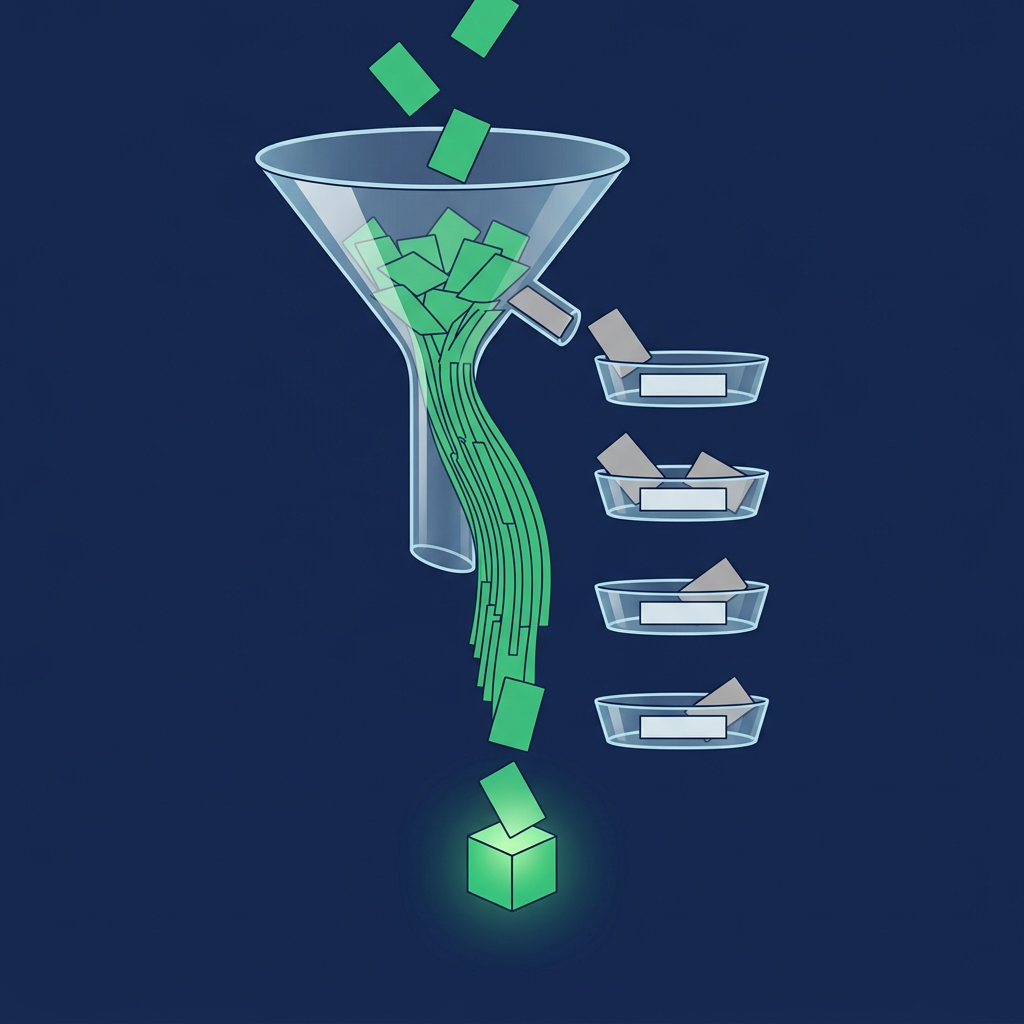
B2B data hygiene is the recurring upkeep that keeps each field in a company or contact record accurate, complete, consistent, unduplicated and current enough for the job it is used for. Most guides treat it as one clean-up of the whole database. It works better as a rule for each field that states what is checked, when, who fixes it and what the record may not do while the check fails. The method below, the Hygiene Rule Card and the Quarantine Lanes, turns a failed check into a routing decision instead of a deletion or a silent flaw.
B2B Data Hygiene: The Short Answer
- Hygiene is upkeep, not a one-time clean-up. Fact: 6sense's guide describes data hygiene as the ongoing practice of keeping data clean and distinguishes it from data quality and data integrity.
- Different fields need different rules. A duplicate, a stale title and a bad email fail in different ways, are found at different times and are fixed by different people.
- A failed record should be held, not deleted. The Quarantine Lanes send each failure to a named lane: merge, verify, fix or suppress.
- A record is hygienic for a use. An email can be fine for a newsletter and not fine for a sequence sent from a protected domain.
- Hygiene ends in an action. Each record carries a lane and the one thing a seller or system may do with it.
What the Pages Say and What They Leave Open
Fact: 6sense's guide (data hygiene and data cleansing) defines hygiene as correcting, standardizing and eliminating inaccuracies, redundancies and inconsistencies, and lists four cleansing steps: assessment, standardization, removal of duplicates and outdated records, and validation against trusted sources. It also recommends workflows and schedules, governance policies, audits and measurement. Fact: Salesforce's help documentation lets you run up to five active duplicate rules per object and choose whether a rule alerts a user, blocks the save or reports the duplicate. HubSpot's page says it automatically deduplicates contacts by email address and companies by domain name, and supports manual merging by record ID. ZoomInfo's Contact Accuracy Score page says the score reflects confidence, not a guarantee, and suggests using it to gate enrichment workflows so only high-confidence updates are accepted.
Inference: the guides explain what to clean and how often. They do not say what each failed record is allowed to do while it waits, who owns each repair, or how hygiene results reach a seller as an action. That is the part this guide adds.
Define the Data Layer First
The data layer is the set of fields that sales and marketing systems read to decide who to contact. Each field has five properties that hygiene must be able to answer:
| Property | Question hygiene asks |
|---|---|
| Source | Where did this value come from: the person, your team, a provider, an integration? |
| Freshness | When was it last confirmed, not just last written? |
| Verification | What check was run, and by whom or what? |
| Confidence | How sure is the source, in the source's own terms? |
| Use | Which actions does this field gate: routing, sequencing, reporting? |
Fact: ZoomInfo's help page says its Contact Accuracy Score reflects email validation status, how many supporting data points a record has and how recently they were validated. Inference: that is one provider's confidence measure, so a hygiene record stores the provider name next to any score.
The Hygiene Rule Card
The Hygiene Rule Card is this guide's own template. One card per field states the check, the trigger that runs it, the owner who fixes a failure, what a pass allows and what a fail does.
| Field | Check | Trigger | Fixer | Pass allows | Fail sends to |
|---|---|---|---|---|---|
| Email address | Syntax and mailbox check by a validator | On entry and before each sequence | Operations or the enrichment source | Sequencing | Fix lane |
| Job title and employer | Confirmed against a dated source | Before routing and on a schedule | SDR or enrichment refresh | Routing and persona-based messaging | Verify lane |
| Company domain | Matches the account record and the company's own site | On account creation and import | Operations | Account matching and routing | Merge lane |
| Duplicate status | Match on email, domain or record ID | On creation, import and nightly | Operations or the CRM duplicate rule | Any use | Merge lane |
| Opt-out and consent status | Compared with the suppression list | Before every send | Operations, immediately | Sending | Suppress lane |
| Account owner | Active seller, current territory | On territory change | Revenue operations | Routing | Fix lane |
Fact: HubSpot's page says to use Record ID or unique-value properties when deduplicating through an import, and Salesforce's rules let an organization choose block or alert at save. Inference: both give a way to set the rule per object, and the Hygiene Rule Card adds the field-level choice of owner and lane. Opinion: the Opt-out row deserves the shortest trigger, because it is the only field here that has a legal deadline.
Fact: the US Federal Trade Commission's CAN-SPAM guide says a business must honor an opt-out request within 10 business days. Fact: GDPR Article 5(1)(d) says personal data must be accurate and, where necessary, kept up to date, and that inaccurate data must be erased or rectified without delay. Inference: for contacts these two make hygiene a compliance habit as well as a sales one. Which rules apply to your records depends on where the people are and what you send, so check the rules that apply to you.
The Quarantine Lanes
The Quarantine Lanes are this guide's own routing rule. A record that fails a Hygiene Rule Card check goes to one lane, and while there it may not be routed to a seller or enrolled in a sequence.
| Lane | What it holds | Exit condition | What it may not do meanwhile |
|---|---|---|---|
| Routable | Passes every check for its use | Any later check fails | Nothing blocked |
| Merge | Suspected duplicate | A survivor record is chosen and the other is merged | Be messaged or routed |
| Verify | Title, employer or contact is old or unconfirmed | A dated confirmation is recorded | Receive persona-specific outreach |
| Fix | Invalid email, missing owner or malformed field | The field is corrected and rechecked | Be sequenced |
| Suppress | Opted out or must not be contacted | Never, unless permission is recorded | Be messaged at all |
Opinion: do not delete a failed record before you have recorded why it failed. A deleted duplicate is easy to re-import; a record with a reason attached is not.
From Hygiene Result to Sales Action
- Write one Hygiene Rule Card per field the sales process reads. Start with email, title, domain, duplicate status and opt-out.
- Run checks at entry and before use. Entry catches malformed fields; pre-use checks catch aging.
- Assign every failure a lane. No record is left in an unlabeled state.
- Tell the seller what a record may do. The CRM view shows the lane, and only Routable records enter a sequence.
- Hold integrations to the same rules. An integration that writes to a field should follow the field's overwrite and fail rules; ZoomInfo's help suggests gating enrichment to high-confidence updates only.
- Review which rule fails most. That is the next thing to fix upstream. The B2B contact data decay guide covers how fast individual fields go out of date, exporting prospects into your CRM cleanly covers hygiene at import, and the best B2B contact database guide covers where the contacts come from. For which signals deserve attention once records are clean, see Percepture's guide to using intent data to identify sales qualified leads.
A Worked Example (Invented)
Harbor Ledger Software is an invented company that audited 1,000 contact records before a quarter's outbound. Each record was assigned to one lane in this order: suppression, duplicates, email, then title.
| Harbor Ledger Software, 1,000 records, invented | Records |
|---|---|
| Suppress lane: opted out | 25 |
| Merge lane: duplicates of another record | 80 |
| Fix lane: invalid email | 45 |
| Verify lane: title or employer not confirmed in the window | 130 |
| Routable | 720 |
The counts add up: 25 + 80 + 45 + 130 = 280 held, and 1,000 − 280 = 720 routable. A seller sees 720 records marked ready instead of 1,000 records of unknown standing. The 130 in the Verify lane go to an SDR or a refresh step with a due date, and the 45 in the Fix lane go to operations. Because each record was assigned once in a fixed order, no record is counted in two lanes.
Limitations
- The Hygiene Rule Card and the Quarantine Lanes are editorial methods. They organize vendor and regulator statements and recommend a format; they are not benchmarks.
- The example is invented. Harbor Ledger Software and its counts are illustrative, and the order of checks is a choice.
- Vendor pages describe features, not accuracy. None of the pages cited here gives an accuracy rate this guide can attach to a field.
- Rules differ by system. Duplicate and overwrite behavior varies by CRM, edition and how a record is created; test it on your own records.
- Privacy law differs by region. The two rules cited are examples, not a full list.
- Product details change. Read the current vendor page before relying on a setting.
Where Lead Seeker and Percepture Fit
Lead Seeker is a prospecting product. A search returns verified people at the accounts you describe, with retrieved contact data, the public signal that surfaced each one and source links where available, which gives the Verify and Fix lanes a way to replace a contact instead of repairing one. How Lead Seeker works shows the flow, and Lead Compass reads your website and ICP to suggest accounts to search. Lead Seeker does not publish a confidence score or a verification method for contacts, so the confidence property in this guide is something you record on your side. Lead Seeker publishes this guide and has a commercial interest in verified contact data.
Percepture, where Bob Generale is President, provides B2B intent data services.
Frequently Asked Questions
What is B2B data hygiene?
The ongoing upkeep of company and contact records so that fields are accurate, complete, consistent, unduplicated and current enough for the use they gate, such as routing or sending.
Is data hygiene the same as data enrichment?
No. Hygiene fixes and maintains what is in a record; enrichment adds fields that were not there. Run hygiene first, because enrichment applied to duplicates updates each duplicate separately.
How often should B2B data hygiene run?
On entry, before each use and on a schedule set per field. A title changes faster than a company domain, so give each field its own trigger.
Should failed records be deleted?
Not before the reason is recorded. Hold them in a lane such as merge, verify, fix or suppress, and delete only when a rule says the record is not worth keeping.
How to Read the Tables
The Hygiene Rule Card, the Quarantine Lanes and the Harbor Ledger Software example are this guide's own editorial methods, not vendor documentation or benchmarks. Harbor Ledger Software and its counts are invented. Labels Fact, Inference and Opinion mark what a source states, what follows from it and what the author recommends. This is an October 2026 snapshot.
Sources
- 6sense, The Ultimate Guide to Data Hygiene and Data Cleansing.
- Salesforce Help, Things to Know About Duplicate Rules.
- HubSpot, Deduplicate records in HubSpot, updated October 2, 2026.
- ZoomInfo Help Center, Overview of the Contact Accuracy Score, March 4, 2026.
- US Federal Trade Commission, CAN-SPAM Act: A Compliance Guide for Business.
- GDPR, Article 5, principles relating to processing of personal data.
- Percepture, B2B Intent Data Services and How to Use Intent Data to Identify Sales Qualified Leads. Percepture is a company Bob Generale leads.
- Lead Seeker, How it works, Lead Compass and Try free. Lead Seeker publishes these pages.
About the Author
Bob Generale is President of Percepture. He works across SEO, AI search, digital PR, sales intelligence and AI-powered revenue systems, with a focus on connecting visibility, buyer intent and sales action.
Next Steps
Write a Hygiene Rule Card for the five fields your sellers rely on most, then run them against a sample of 100 records and count how many land in each Quarantine Lane. Fix the lane with the most records first. To replace contacts that fail, try Lead Seeker free.